Comparing platforms
A TeamUp alternative for gyms with kids, families and a busy front desk.
If you are comparing TeamUp alternatives, ClassOps is worth a look when children, parents and a staffed desk are a big part of your week. One parent books several children at once, each child signs their own waiver, and reception works from the same live bookings.
Live at Nova City Centre since August 2026 · UK built and supported
Sound familiar?
Where the current setup lets you down
Parents booking one child at a time
A family with three children in juniors should not have to go through the booking three times.
Waivers handled outside the booking
If the waiver lives in a separate form, some children arrive on the first day with nothing signed.
The desk and the app disagree
Reception needs to see the booking made on a phone five minutes ago, plus who still owes money or a signature.
How ClassOps fits
Built around how gyms comparing TeamUp actually run
Example timetable
- 16:00Tiny Tumblers (3 to 5)Waitlist open12 / 12
- 16:45Juniors Club19 / 22
- 17:45Teen Conditioning10 / 14
- 18:45Adult Circuits16 / 16
- 19:45Open Gym11 / 25
Families booked in one go
One parent books several children together. Each child has their own waiver and health notes.
Booking waits for the waiver
Waivers are signed in the app, and booking is blocked until they are. One waiver per child, exported as PDF for insurance.
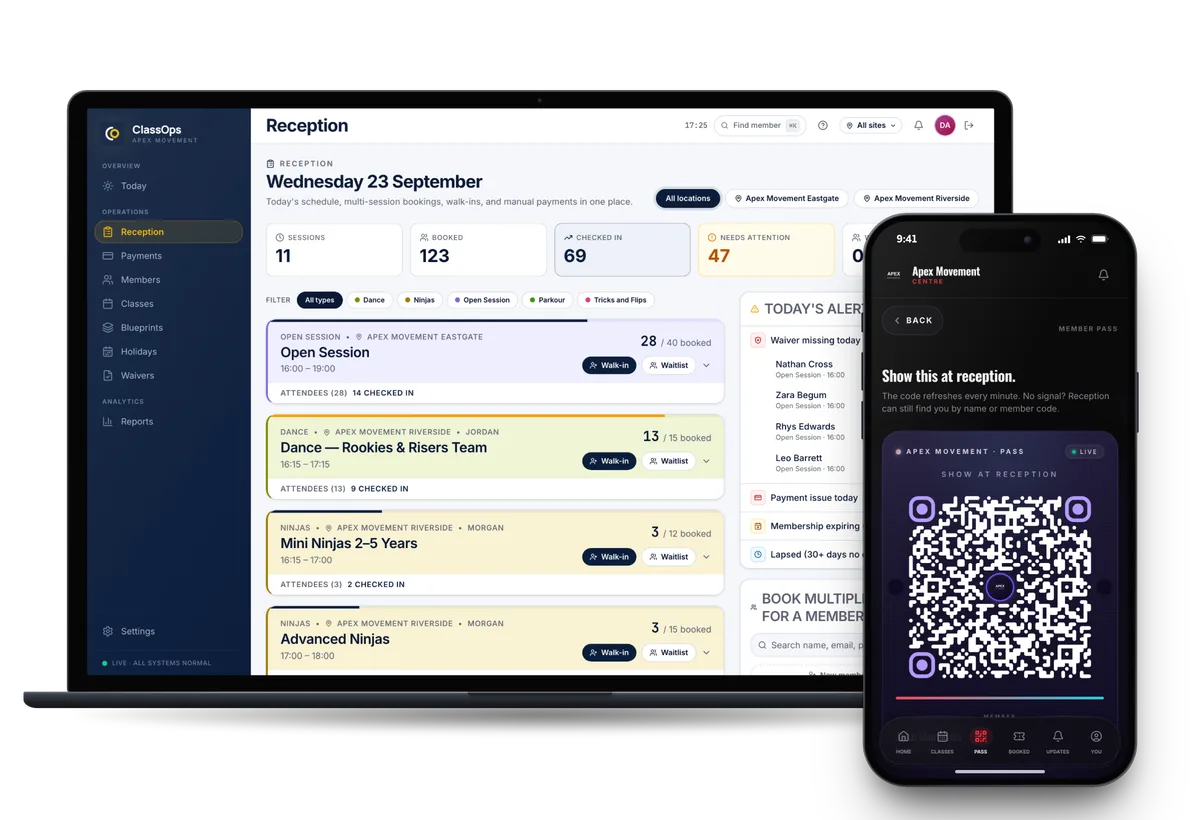
A reception desk screen
Walk ins, check in, payments and alerts for missing waivers or failed payments, all on one screen at the desk.
Holiday camps in the same system
Run holiday camps that parents book by the day or as a bundle, alongside term time classes.
Classes set up once
Each class is a blueprint. Change the capacity or coach for a single day without touching the rest of the term.
No per booking fees
You are not charged each time someone books. Pricing is a tailored quote, given on the free call.
Proof
Nova City Centre moved from Glofox. Live at two sites since 1 August 2026.
Nova City Centre runs kids classes, open sessions and memberships across its Rotherham and Barnsley sites on ClassOps, with family booking and one waiver per child at the centre of it. Both sites have run on ClassOps since 1 August 2026.
Read the Nova City storySwitching
Nothing is switched off until you are happy
- 01Discovery callA free 45 minute call about how your gym runs today.
- 02Set upYour brand, sites, classes, prices and waiver wording configured for you.
- 03Bring members acrossCurrent members imported. Each one claims their account from an email to their own inbox.
- 04Run side by sideUp to 30 days alongside your old system, so nothing is switched off until you are happy.
- 05Switch overYou cancel the old system when you are ready. We stay on the end of the phone.
Questions
What gyms comparing TeamUp ask us
- Can one parent book several children at once?
- Yes. One parent books several children in one go, and each child keeps their own waiver and health notes.
- Does ClassOps have a front desk screen?
- Yes. Reception handles walk ins, check in and payments on one screen, with alerts for missing waivers and failed payments. Members can check in with a QR pass from the app.
- Can we run holiday camps as well as weekly classes?
- Yes. Holiday camps can be booked per day or as a bundle, in the same member app as your weekly classes.
- Can we try it before we leave our current system?
- Yes. ClassOps can run alongside your current system for up to 30 days. Members are imported and claim their accounts by email.
- How is ClassOps priced?
- You get a tailored quote on the free 45 minute call, once we know how your gym runs. There are no per booking fees.
See ClassOps set up for your gym.
A free 45 minute call with the team that builds it. You leave knowing what it costs and how the move works.