For after school and weekend clubs
A kids club booking system for the clubs that run every week.
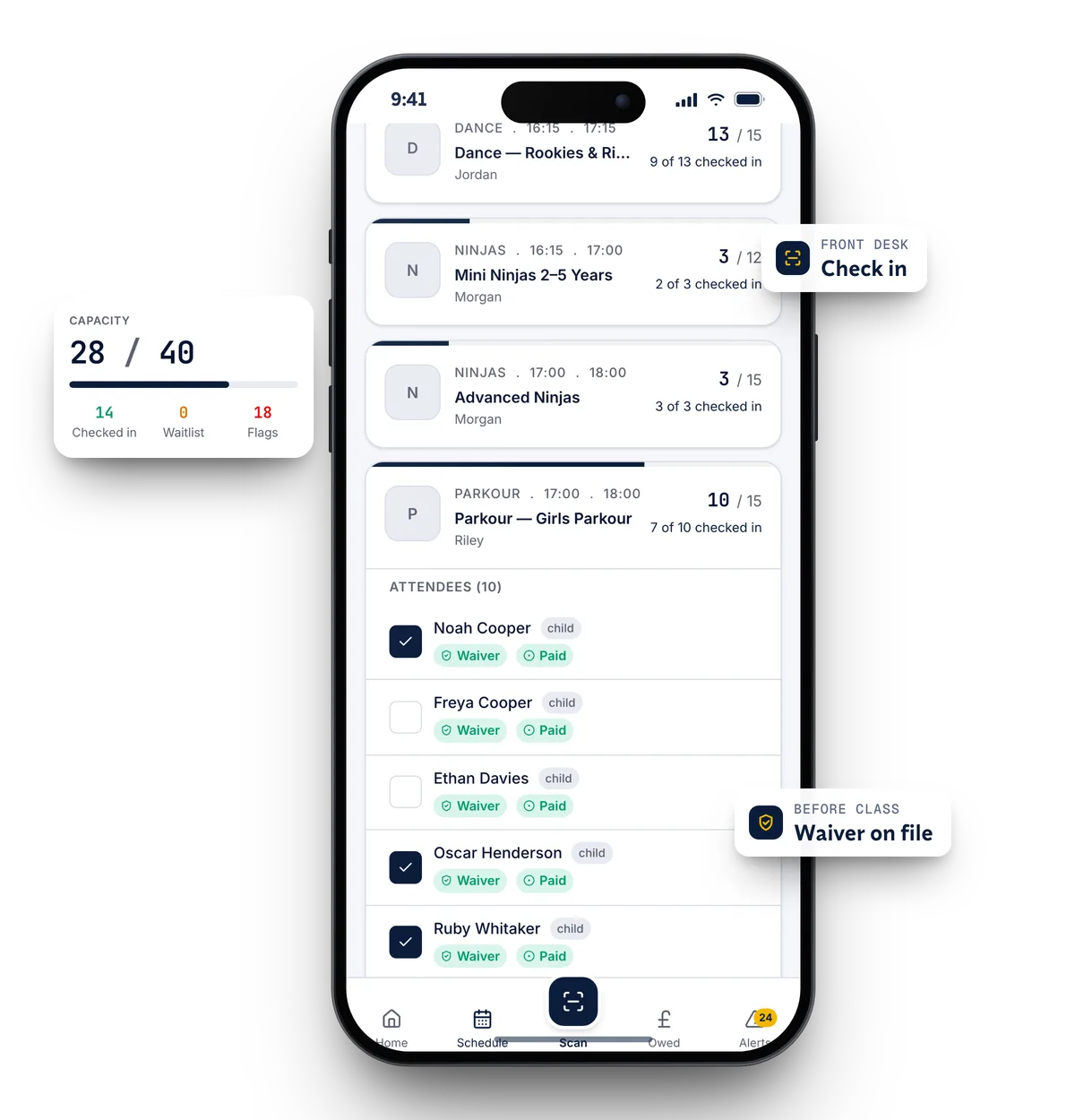
ClassOps lets a parent book all their children into your weekly clubs in one go, sign a waiver with health notes for each child, and pay by card. Your coaches see who is booked, who is checked in and whose waiver is missing.
Live at Nova City Centre since August 2026 · UK built and supported
Sound familiar?
Where the current setup lets you down
Registers on paper, bookings on email
Parents message to book, the coach prints a list, and nobody is sure who actually came.
Health details that go stale
Allergies and medical notes are collected once in September and never checked again.
Chasing monthly fees at pick up
Coaches end up asking parents about money at the door, which nobody enjoys.
How ClassOps fits
Built around how kids' clubs actually run
Example timetable
- 15:30After School Multi SportsWaitlist open20 / 20
- 16:30Mini Movers (4 to 6)11 / 12
- 17:15Junior Gymnastics15 / 18
- 09:30Saturday Kids Club24 / 30
- 11:00Saturday Teens9 / 16
Siblings in one booking
One parent books several children into their clubs together, each with their own waiver and health notes.
A waiver for every child
Each child has their own waiver, signed in the app. A child cannot be booked in until theirs is signed.
Registers on the coach's phone
Staff see the roster with check in, waiver and payment status for each child. Each staff login is limited to its own venue.
Monthly fees by card
Run club fees as a membership that renews automatically through Stripe. Failed payments show as an alert at reception.
Clubs set up once
Each weekly club is a blueprint. Swap the coach or change the cap for a single week without editing the rest.
Holiday weeks in the same app
When the school holidays come, run camps that parents book by the day or as a bundle, in the app they already use.
Proof
Nova City Centre moved from Glofox. Live at two sites since 1 August 2026.
Nova City Centre runs kids classes across its Rotherham and Barnsley sites on ClassOps, with parents booking several children at once and a waiver signed for every child before their first class.
Read the Nova City storySwitching
Nothing is switched off until you are happy
- 01Discovery callA free 45 minute call about how your gym runs today.
- 02Set upYour brand, sites, classes, prices and waiver wording configured for you.
- 03Bring members acrossCurrent members imported. Each one claims their account from an email to their own inbox.
- 04Run side by sideUp to 30 days alongside your old system, so nothing is switched off until you are happy.
- 05Switch overYou cancel the old system when you are ready. We stay on the end of the phone.
Questions
What kids' clubs ask us
- Can parents book more than one child?
- Yes. One parent books several children in a single booking, and each child keeps their own waiver and health notes.
- How do we keep medical details on file?
- Health notes are part of each child's waiver, signed by the parent in the app. Booking is blocked until the waiver is signed, so every booked child has one.
- Can coaches take the register on a phone?
- Yes. Staff see the class roster with check in, waiver and payment status for each child. Children can also check in at a desk with a QR pass.
- Can we charge a monthly club fee?
- Yes. Club fees can run as a recurring membership that renews automatically by card. If a payment fails, reception sees an alert.
- Do we pay a fee per booking?
- No. There are no per booking fees. You get a tailored quote on the free 45 minute call.
See ClassOps set up for your kids' club.
A free 45 minute call with the team that builds it. You leave knowing what it costs and how the move works.