Pricing guide
How much does gym management software cost in the UK?
Gym management software is usually priced one of three ways: a monthly fee by plan or member count, a fee on every booking, or a mix of both. On top sit card processing (Stripe charges 1.5% + 20p on a standard UK card) and sometimes set up or branded app costs.
Live at Nova City Centre since August 2026 · UK built and supported
Sound familiar?
Where the current setup lets you down
Fees that grow with every booking
A per booking fee looks small on day one and adds up fast once a busy timetable is full every week.
The branded app as an extra
Some quotes treat an app with your own name on it as an add on, priced separately from the core system.
The cost of leaving
If exporting your members, payments and waivers is hard or charged for, that is part of the price too.
How ClassOps fits
Built around how gym owners pricing software actually run
Monthly fee by plan
A set monthly price, often tiered by member numbers, sites or features. Easy to budget, but check what sits in each tier.
Per booking or transaction fees
A charge each time someone books or pays through the platform. Add it up against a full week of classes before you agree.
Card processing
Card payments carry a processor fee whichever system you use. Stripe's standard UK card rate is 1.5% + 20p per payment.
Set up and migration
Some providers charge to configure your account or move your members across. Ask who does the work and what it costs.
Branded member app
Ask whether members book in an app with your name on it, and whether that costs extra.
How ClassOps is priced
A tailored quote after a free 45 minute call, with no per booking fees. The branded member app, reception desk and owner dashboard come as one system.
Proof
Nova City Centre moved from Glofox. Live at two sites since 1 August 2026.
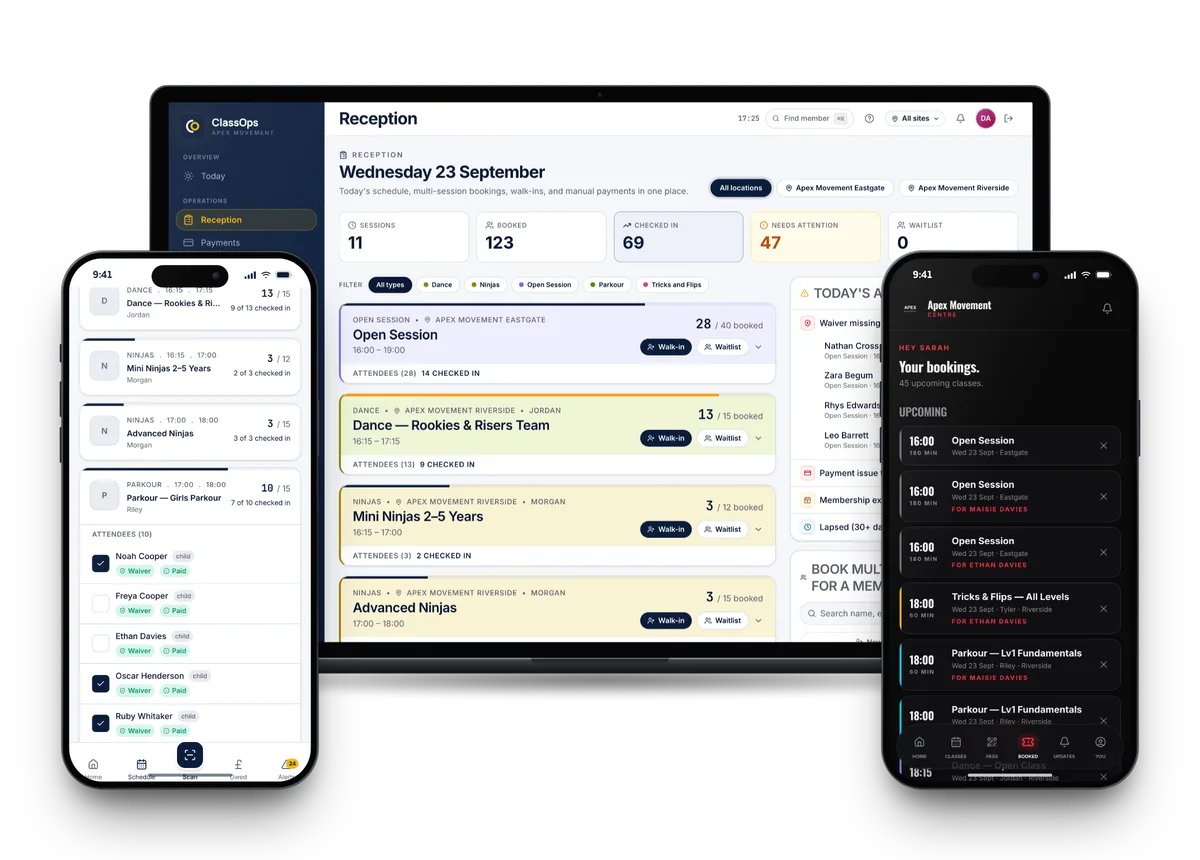
Nova City Centre runs two parkour sites on ClassOps with the member app, reception desk and owner dashboard as one system. It moved from Glofox and has been live since 1 August 2026.
Read the Nova City storySwitching
Nothing is switched off until you are happy
- 01Discovery callA free 45 minute call about how your gym runs today.
- 02Set upYour brand, sites, classes, prices and waiver wording configured for you.
- 03Bring members acrossCurrent members imported. Each one claims their account from an email to their own inbox.
- 04Run side by sideUp to 30 days alongside your old system, so nothing is switched off until you are happy.
- 05Switch overYou cancel the old system when you are ready. We stay on the end of the phone.
Questions
What gym owners pricing software ask us
- How much does gym management software cost in the UK?
- It depends on the pricing model: a monthly fee by plan or member count, a fee per booking, or both. Add card processing on top, for example Stripe's 1.5% + 20p on a standard UK card, plus any set up or app costs.
- What are per booking fees?
- A charge taken each time a member books or pays through the platform. They scale with how busy you are, so a full timetable pays more. ClassOps has no per booking fees.
- Do I still pay card fees on top?
- Yes. Whichever system you use, card payments carry a processing fee from the payment provider. ClassOps takes card payments through Stripe.
- What should I ask before signing?
- Ask what you pay per month and per booking, whether the branded app costs extra, who does the set up and migration, and whether exporting your data is free.
- How much does ClassOps cost?
- You get a tailored quote on a free 45 minute call, once we know your sites, classes and members. There are no per booking fees, and data export is always free.
See ClassOps set up for your gym.
A free 45 minute call with the team that builds it. You leave knowing what it costs and how the move works.