How switching works
How switching gym software works, step by step.
Switching to ClassOps takes five steps: a free 45 minute call, set up done for you, members imported, up to 30 days running alongside your old system, then you switch off the old one when you are happy. Nothing is turned off early.
Live at Nova City Centre since August 2026 · UK built and supported
Sound familiar?
Where the current setup lets you down
Fear of a bad Monday
The worry is a morning where bookings vanish, the desk is lost and members ring to ask what happened.
Members asked to start again
Nobody wants to ask hundreds of members to re-register and hope they bother.
Losing years of records
Members, payment history and signed waivers need to come across, not stay behind in the old system.
How ClassOps fits
Built around how gyms thinking about switching actually run
1. A free 45 minute call
We start with how your gym runs today: classes, prices, sites, waivers and what bothers you about the current setup.
2. Set up for you
Your brand, sites, classes, prices and waiver wording are configured for you, so your team is not building it at night.
3. Members brought across
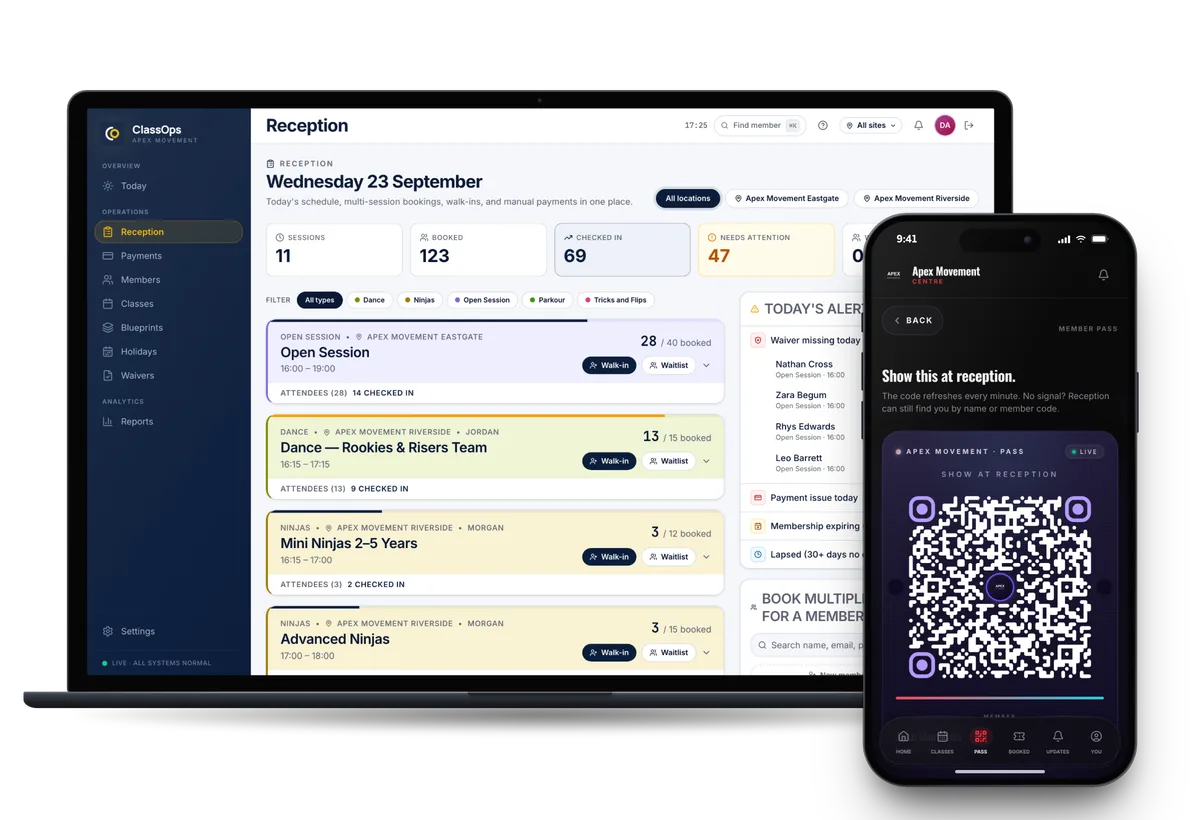
Current members are imported. Each one claims their account from an email to their own inbox, with no re-registering.
4. Up to 30 days side by side
ClassOps runs alongside your old system for up to 30 days, so you can check it with real bookings before anything is switched off.
5. You switch when ready
You cancel the old system when you are happy. We stay on the end of the phone after the switch.
Your data stays yours
Once you are on ClassOps, members, bookings, payments and waivers export in full, free, at any time.
Proof
Nova City Centre moved from Glofox. Live at two sites since 1 August 2026.
Nova City Centre switched from Glofox to ClassOps this way. Card payments went live on 29 July 2026, both of its sites were running on ClassOps from 1 August, and its first automatic membership renewal went through on 10 August.
Read the Nova City storySwitching
Nothing is switched off until you are happy
- 01Discovery callA free 45 minute call about how your gym runs today.
- 02Set upYour brand, sites, classes, prices and waiver wording configured for you.
- 03Bring members acrossCurrent members imported. Each one claims their account from an email to their own inbox.
- 04Run side by sideUp to 30 days alongside your old system, so nothing is switched off until you are happy.
- 05Switch overYou cancel the old system when you are ready. We stay on the end of the phone.
Questions
What gyms thinking about switching ask us
- How long does switching take?
- It depends on how many sites, classes and members you have, which is what the free call is for. You can run ClassOps alongside your old system for up to 30 days before switching anything off.
- Do members have to sign up again?
- No. Current members are imported, and each one claims their account from an email sent to their own inbox.
- Who does the set up?
- We do. Your brand, sites, classes, prices and waiver wording are configured for you.
- What if something is not right in the first month?
- You keep your old system running for up to 30 days while you check ClassOps with real bookings. Nothing is switched off until you are happy.
- Which systems can we switch from?
- Nova City Centre switched from Glofox. Gyms also look at ClassOps as an alternative to Mindbody and TeamUp. Tell us what you use on the call and we will explain how the move works for you.
See ClassOps set up for your gym.
A free 45 minute call with the team that builds it. You leave knowing what it costs and how the move works.